


Today there are literally hundreds of integration platforms, and "best" depends entirely on what you’re connecting and who’s going to run it. This freshly updated 2026 list categorizes 45+ platforms from iPaaS, API management, data integration, embedded iPaaS, enterprise suites and SMB integration tools.
Key Takeaways
- Three Integration Categories: iPaaS platforms (MuleSoft, Workato, Zapier) focus on low-code, fast deployment; ESBs (Mule ESB, IBM Integration Bus) handle complex enterprise routing; managed iPaaS (ONEiO) eliminate platform selection and team staffing entirely.
- Pricing Models Vary Widely: Low-code iPaaS starts at $500/month; enterprise ESBs require licensing + consulting ($50K+); managed integration subscriptions include design, deployment, and 24/7 support in all-in-one pricing.
- Fastest Time-to-Value: Managed integration (ONEiO) deploys in weeks; low-code iPaaS in 4-12 weeks; custom ESB implementations take 3-6+ months depending on complexity.
- Key Comparison Factors: Native connectors (100+ is baseline), transformation capability, API flexibility, vendor support quality, compliance certifications (SOC2, HIPAA, ISO 27001), and total cost of ownership over 3 years.
- Managed iPaaS takes the operating work off your team under SLA. ONEiO is the managed iPaaS in this guide.
Top integration platforms in 2026
- ONEiO (managed iPaaS). Best for organisations that want integration outcomes without staffing an integration team, strongest in ITSM, MSP and B2B eBonding scenarios, run 24/7 under SLA.
- Boomi (iPaaS). Best for connecting hybrid and legacy environments.
- Workato (iPaaS). Best for process automation and collaboration between IT and business teams.
- Informatica (iPaaS). Best for data-management-centric integration, now part of Salesforce after an acquisition completed in November 2025.
- Celigo (iPaaS). Best for SaaS integration and back-office process automation.
- Kong (API management). Best for managing APIs and microservices at scale through an API gateway and service mesh.
- Fivetran (data integration). Best for managed data pipelines into cloud data warehouses for analytics.
- Prismatic (embedded iPaaS). Best for B2B SaaS companies shipping customer-facing integrations.
- SAP Integration Suite (enterprise suite). Best for connecting SAP applications with third-party systems.
- Zapier (SMB automation). Best for no-code workflows that connect apps for small teams.
What is an integration platform?
An integration platform is any software solution that connects various systems, applications, and data sources within an organization. It acts as a central hub, facilitating information exchange and process automation across your whole IT ecosystem. By providing a unified interface and standardized protocols, an integration platform helps overcome the challenges of data silos and disconnected workflows.
Regardless of the type, most integration platforms share several key components that add value beyond the simple transfer of data from one IT system to another:
- Pre-built connectors and adapters:
These pre-built components allow quick connections to common applications and data sources. They significantly reduce the time and effort required for integration compared to point-to-point integrations.
- Data mapping and transformation:
These features allow you to reconcile differences in data formats and structures between systems, ensuring smooth data flow and consistency.
- Workflow orchestration:
These components allow you to design and automate complex business processes that span multiple systems and applications.
- Monitoring and analytics:
Real-time monitoring, logging, and analytics features provide visibility into your integrations' performance and help identify potential issues before they impact operations.
- Security features:
Integration platforms typically include security measures such as encryption, access control, and compliance features to protect sensitive data during transfer and storage.
While each integration will have additional features, these components alone typically justify the need for managing integrations in one platform in an enterprise business.
Top integration platforms at a glance
Over the past 15 years, I've tested different integration methods, from self-service tools to hybrid integration platforms. Here are some of the most popular options:
Best iPaaS platforms to consider
Today iPaaS is one of the largest and fastest growing categories of enterprise software. In 2026 there are approximately 270 iPaaS solutions on the market serving needs of different types of businesses.
Here are some notable enterprise integration software providers:
Boomi
Boomi is a long-standing iPaaS known for connecting hybrid and legacy environments. Since 2026 it markets itself as a data activation company, with integration, API management, B2B and EDI, workflow automation and master data management in one platform.
HQ:
Chesterbrook, Pennsylvania
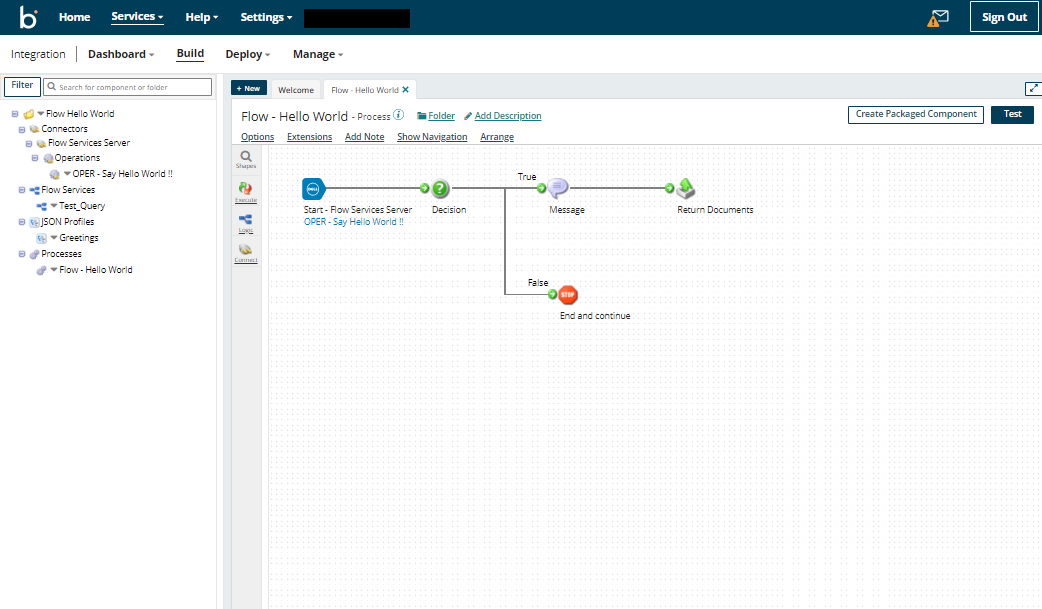
The Boomi AtomSphere platform uses low-code tooling and distributed runtimes called Atoms that run in the cloud or on-premise, which is what makes it a common choice for connecting SaaS applications to legacy systems. Its 2026 additions are Boomi Agentstudio, for designing, governing and monitoring AI agents at scale, and a managed MCP service that exposes existing integrations as tools agents can call. Boomi suits hybrid estates where the buyer has integration engineers available to run the platform. Your team designs, runs and maintains the integrations.
Overall rating



Customer support rating
Pros:
- Hybrid and on-premise runtimes, useful for ESB-style patterns.
- Quick to get started for standard connections.
- Agentstudio and a managed MCP service extend existing integrations to AI agents.
Cons:
- Connection-based pricing is complex to forecast.
- Monitoring and operational visibility need supplementing.
- Advanced configuration is widely reported as difficult.
Jitterbit
Jitterbit Harmony is a self-service iPaaS that started with small and midsize businesses and has moved upmarket, competing on flexibility and price.
HQ:
Alameda, California
Jitterbit Harmony covers application integration, API management and EDI in one platform, with a predictive pricing model and a focus on making integration accessible to non-specialist developers. The company has been building out AI assistants and an agent marketplace, and appointed Mark Logan as President and Chief Executive Officer in August 2026, with former chief executive Bill Conner moving to the board. Its systems integrator ecosystem is smaller than those of the larger platform vendors. Jitterbit suits general iPaaS needs and EDI modernisation. Your team designs, runs and maintains the integrations.
Overall rating
Customer support rating
Pros:
- Strong EDI capability with a substantial template set.
- Straightforward interface that is quick to get started with.
- Customisable template marketplace, useful for OEM and partner delivery.
Cons:
- Smaller prebuilt connector and template library than the market leaders.
- Endpoint-based pricing is hard to model.
- Smaller partner and systems integrator ecosystem.
SnapLogic
SnapLogic is a self-service low-code integration platform for building data and application pipelines through a visual interface. Since 2026 it positions itself as an agentic integration company.
HQ:
San Mateo, California
The SnapLogic Intelligent Integration Platform uses a drag-and-drop pipeline builder with a large library of pre-built connectors called Snaps, covering ETL-style data integration, real-time application integration and API creation with minimal coding. In July 2026 SnapLogic relaunched SnapGPT as an agentic assistant covering the whole integration lifecycle, from building and testing pipelines to documenting and troubleshooting them, alongside an AI Gateway and Trusted Agent Identity for governing what agents are allowed to reach. B2B and EDI capability remains modest. Your team designs, runs and maintains the pipelines.
Overall rating
Customer support rating
Pros:
- Visual pipeline builder that is quick to learn for common patterns.
- Transparent pricing and presence on the major cloud marketplaces.
- SnapGPT now spans the full integration lifecycle rather than pipeline generation alone.
Cons:
- Limited B2B and EDI capability.
- Coarse access permissions for larger teams.
- Debugging and advanced use carry a real learning curve.
Celigo
Celigo is a self-service iPaaS focused on SaaS integration and back-office process automation, aimed mainly at mid-market and upper-midmarket companies.
HQ:
Redwood City, California
The Celigo integrator.io platform combines a large library of business-process templates with automated error handling, and is strongest in finance, e-commerce and NetSuite-centred back-office work. In March 2026 Celigo launched Ora, a natural-language copilot, together with Agent Builder, which lets business teams build and govern AI agents on top of existing integrations. B2B integration and developer experience are the stated roadmap priorities. Celigo suits teams that want business users building automations with IT oversight. Your team designs, runs and maintains the integrations.
Overall rating
Customer support rating
Pros:
- AI-assisted categorisation and resolution of runtime errors.
- Large library of business-process templates, strongest in NetSuite and e-commerce.
- Ora and Agent Builder let non-developers build governed AI agents.
Cons:
- Fewer enterprise controls at large scale.
- Operational data is difficult to export to external monitoring tools.
- Interface complexity grows quickly beyond template-based use.
TIBCO
TIBCO has a long legacy in enterprise integration and messaging, and is known for powering mission-critical, high-throughput systems. It has been part of Cloud Software Group since 2022.
HQ:
Santa Clara, California
The TIBCO Platform brings integration, messaging, API management and data products together for organisations running high-volume, latency-sensitive workloads, often in financial services, telecoms and logistics. TIBCO has been part of Cloud Software Group since the 2022 combination with Citrix. Its 2026 AI work centres on adding model and agent capability into existing BusinessWorks flows rather than launching a separate agent platform, which suits customers protecting a large installed estate. TIBCO fits data-centric integration strategies in enterprises that already run TIBCO. Your team designs, runs and maintains the integrations.
Overall rating
Customer support rating
Pros:
- Proven at very high message volumes and low latency.
- Wide range of integration styles within one portfolio.
- Volume-based pricing that flexes with usage.
Cons:
- Inconsistent experience across a portfolio assembled over many years.
- Some capability is available only self-hosted.
- Slower release cadence than the cloud-native vendors.
Mulesoft
MuleSoft Anypoint Platform is a self-service enterprise iPaaS built around an API-first approach to integration. MuleSoft is a Salesforce company, and the platform appeals to large IT organisations and system integrators, especially those already in the Salesforce ecosystem.
HQ:
San Francisco, California
Anypoint Platform combines API design, API management and integration in one self-service platform, with API-led connectivity as its organising principle. Salesforce has extended it into agentic AI through MuleSoft Agent Fabric, which registers, orchestrates and governs AI agents from any vendor, and has since added automated agent discovery and a control plane for multi-agent governance. MuleSoft suits organisations with in-house integration engineering that want an API-led strategy and are prepared to staff the platform. Your team designs, runs and maintains the integrations.
Overall rating
Customer support rating
Pros:
- API design, management and lifecycle governance in a single platform.
- Large template and connector library, with automation and RPA tooling.
- Agent Fabric adds a registry, observability and policy control for multi-vendor AI agents.
Cons:
- One of the highest costs of entry in the iPaaS market, with complex pricing.
- Strongest fit inside the Salesforce ecosystem.
- Users report steep learning curve, and dedicated MuleSoft skills are needed to run it.
Informatica
Informatica Intelligent Cloud Services is a data-management-centric iPaaS from a company that pioneered on-premise data infrastructure. Salesforce completed its acquisition of Informatica in November 2025.
HQ:
Redwood City, California
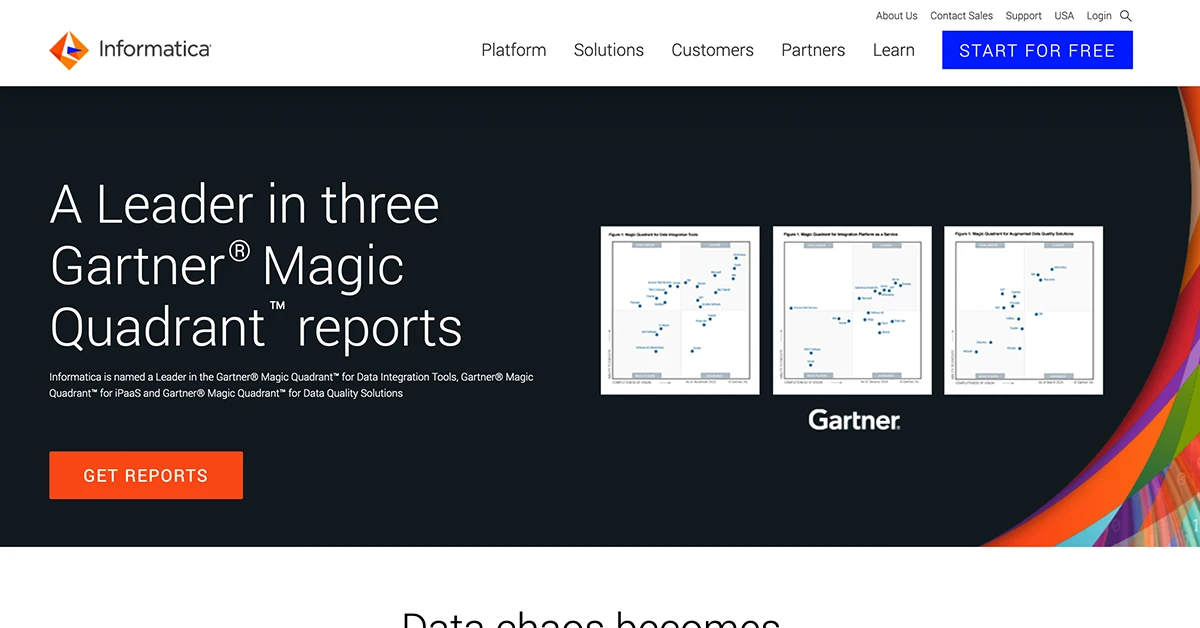
Informatica IDMC prioritises data-centric integration, with depth in governance, data quality, master data management and transformation. Salesforce completed an $8 billion acquisition of Informatica on 18 November 2025 and is positioning the platform as the data foundation of its agentic AI stack, where it now sits in the same portfolio as MuleSoft. Buyers should expect roadmap and packaging changes as the two are brought together. Informatica suits organisations that lead with a unified data management approach rather than application integration. Your team designs, runs and maintains the integrations.
Overall rating
Customer support rating
Pros:
- Depth in data governance, data quality and master data management.
- Broad industry coverage and a strong on-premise data integration heritage.
- Now backed by Salesforce, with a defined role in its agentic AI data strategy.
Cons:
- Consumption pricing based on compute is hard to forecast.
- The experience centres on data engineering rather than guided application integration.
- Roadmap uncertainty while the Salesforce and MuleSoft portfolios converge.
Workato
Workato is a self-service iPaaS focused on process automation and on collaboration between IT and business teams through an AI-assisted interface.
HQ:
Mountain View, California
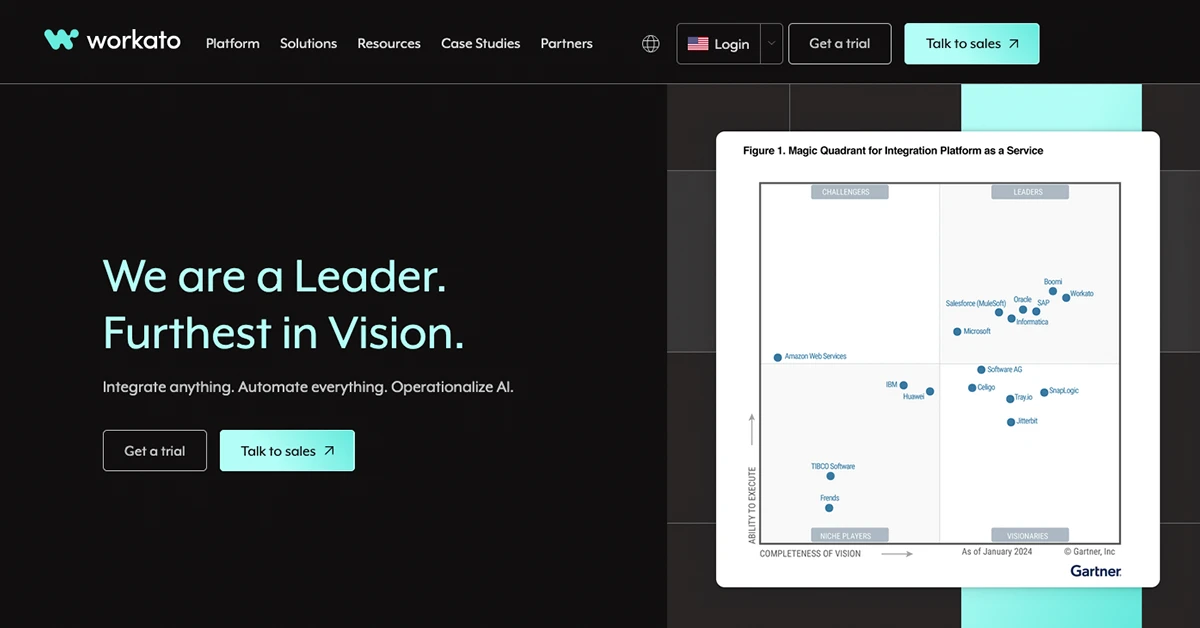
Workato runs a serverless integration platform with a large connector library and an emphasis on letting business teams build their own automations under IT governance. Its 2026 direction is agentic: Agent Studio lets teams build AI agents on top of existing recipes, and the July 2026 release added a Headless API for embedding those agents into any business application, plus Agent Guardrails for policy control over what the agents are permitted to do. Workato suits cloud-based business process automation where IT and business teams build together. Your team designs, runs and maintains the automations.
Overall rating
Customer support rating
Pros:
- Approachable interface with AI-assisted recipe building.
- Very large connector and template library.
- Agent Studio, Headless API and Agent Guardrails bring governed AI agents into business applications.
Cons:
- Task-based pricing escalates as more processes are added.
- No out-of-the-box EDI or B2B capability.
- Cloud-only, with no on-premise deployment option.
Zapier
Zapier is the best-known automation tool for small and mid-sized businesses and individual users, built on simplicity and the widest app coverage in the market. Zapier pioneered the idea of letting non-technical users automate workflows between web apps in a few clicks.
HQ:
San Francisco
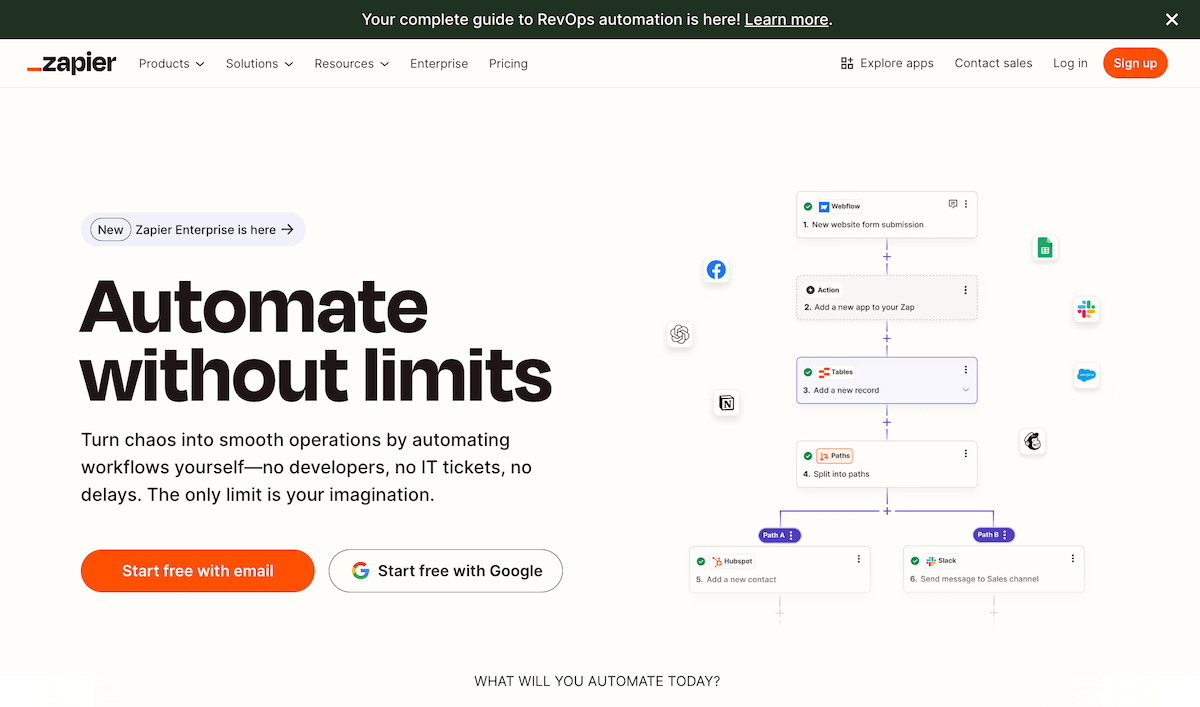
Zapier works on a trigger-action model, where an event in one application starts an action in another. Its app coverage reaches far into long-tail SaaS tools that no enterprise platform connects to, and everything is configured in the browser without code, with multi-step Zaps, conditional paths and basic data formatting. Zapier has added AI agents and chatbots built on the same trigger-action foundation. It is not built for heavy data transformation, complex orchestration or the error handling that enterprise integration requires. Your team designs, runs and maintains the Zaps.
Overall rating
Customer support rating
Pros:
- Extensive compatibility and connectivity for SaaS software
- Ease of use for non-coders, small business owners
- Quick deployment and reliability for simple tasks
Cons:
- Can get expensive at scale, as pricing is on number of tasks
- Limited complexity and customization
- Needs regular maintenance and administration
Top 5 API management solutions
API management solutions help you connect applications, secure data, and automate workflows through custom built APIs. They streamline integrations by providing unified access to multiple APIs, eliminating the need for custom-built connectors.
Merge.dev
Merge.dev offers a unified API platform that enables businesses to integrate with applications across different functions such as HR, payroll, accounting, ticketing, and recruiting. It simplifies multiple integrations into a single API.
Merge.dev supports over 220 integrations across seven software categories, providing businesses with a seamless way to connect their systems. By using a single API, companies can integrate multiple applications without building separate connectors for each one. The platform offers secure authentication, ensuring data privacy and compliance with industry standards.
Pricing:
For early-stage startups prices start at $650/month. Enterprise pricing is custom.
Pros:
- Wide integration coverage
- Strong security and compliance features
- Scalable for enterprise needs
Cons:
- Potentially expensive for small businesses
- Some integrations may require additional setup
Who is it for?
Medium to large enterprises needing a scalable and secure API integration platform.
Kombo
Kombo is a unified API solution focused on integrations with ATS, HRIS, and payroll platforms. It can combine 100+ integrations into a single API.
Kombo is designed specifically for HR, payroll, and ATS integrations, making it a go-to choice for businesses in the HR tech space. It provides a unified API that consolidates multiple HR tools, reducing the complexity of managing various integrations. The platform is developer-friendly, offering extensive documentation and support to streamline the implementation process.
Pricing:
Pricing is not publicly disclosed and requires consultation with sales.
Pros:
- Simplifies HR and payroll integrations
- Strong support for European HR software
- Fast implementation
Cons:
- Limited to HR and payroll domains
- No publicly available pricing
Who is it for?
Businesses that require seamless HR, payroll, and ATS integrations.
DreamFactory
DreamFactory is an open-source API management platform that allows developers to instantly generate APIs from databases, reducing development time and improving security.
DreamFactory eliminates the need for manual API development. It offers secure API management with role-based access control, ensuring that sensitive data is protected. The platform supports multiple databases and authentication protocols, making it a flexible solution for organizations with complex integration needs.
Pros:
- Open-source and flexible
- Strong security features
- Saves development time
Cons:
- Requires self-hosting or managed setup
- Advanced customization may require expertise
Who is it for?
Developers and enterprises needing a fast way to generate APIs from databases.
Kong
Kong is a high-performance API gateway and service mesh designed for managing microservices and APIs at scale. It provides high availability, security, and extensibility for modern API-driven applications.
Kong enables businesses to manage API traffic with high scalability and performance. It includes built-in security features such as rate-limiting and authentication, ensuring that APIs remain protected from unauthorized access. Additionally, it offers a service mesh for microservice management, allowing organizations to optimize their API infrastructure across multiple services.
Pros:
- Highly scalable and reliable
- Strong security and governance tools
- Open-source with enterprise support
Cons:
- Can be complex to configure
- Enterprise version can be costly
Who is it for?
Businesses and developers managing APIs and microservices at scale.
Tray.ai
Tray.ai provides a low-code automation platform that enables businesses to integrate and automate workflows using APIs. Its drag-and-drop interface simplifies complex integrations while offering advanced customization options.
Tray.ai features an intuitive drag-and-drop workflow builder, allowing users to create API integrations without extensive coding knowledge. The platform supports API automation, leveraging AI-powered capabilities to enhance efficiency. It seamlessly connects with major SaaS applications, enabling businesses to automate repetitive tasks and streamline operations.
Pricing:
Pricing is custom and based on usage and features.
Pros:
- No-code interface for ease of use
- Highly customizable automation
- Scalable for enterprises
Cons:
- Pricing can be expensive
- Learning curve for complex workflows
Who is it for?
Businesses needing advanced workflow automation and API integrations.
Top 5 data integration solutions
Data integration solutions help you move, transform, and manage data across systems for use cases such as analytics and business intelligence. These platforms automate data pipelines, eliminating manual ETL/ELT data transfers and reducing errors.
Fivetran
Fivetran is a fully managed data pipeline that enables automated data integration from various sources into cloud data warehouses, ensuring up-to-date and consistent data for analytics and business intelligence.
Fivetran offers pre-built connectors that automatically sync data from multiple sources to cloud data warehouses with minimal setup. It provides automatic schema migration and transformation capabilities, ensuring data integrity during transfers. With built-in monitoring and security compliance, businesses can trust that their data is managed efficiently and securely.
Pricing:
Pricing is based on monthly active rows (MAR), with a free plan available for small-scale use and custom pricing for enterprises.
Pros:
- Fully automated data synchronization
- Extensive library of pre-built connectors
- Strong security and compliance features
Cons:
- Pricing can be expensive for large-scale operations
- Limited flexibility in custom transformations
Who is it for?
Businesses that need a hands-off approach to data integration and automated ETL.
Airbyte
Airbyte is an open-source data integration platform that helps companies move data from various sources to data warehouses and lakes, offering high flexibility and control over pipelines.
Airbyte provides an extensive catalog of connectors, including both open-source and custom-built options, making it highly adaptable. It allows for incremental data loading and supports advanced transformation workflows, ensuring efficient data processing. Since it is open-source, businesses have full control over their data pipelines while benefiting from community-driven improvements and enterprise support.
Pricing:
Free open-source version available, with a cloud-hosted paid plan and enterprise support options.
Pros:
- Open-source and highly customizable
- Large number of connectors available
- Supports both ELT and ETL processes
Cons:
- Self-hosting requires technical expertise
- Some connectors may need maintenance or development
Who is it for?
Developers and data teams looking for flexible, open-source data integration with full control.
Talend (Qlik)
Talend (now part of Qlik) is a data integration and management platform offering tools for data transformation, governance, and connectivity.
Talend offers a robust suite of data integration tools, including data quality management, API integration, and cloud connectivity. It supports both batch and real-time data processing, making it suitable for various business needs. Additionally, Talend’s data governance features help organizations maintain high-quality and compliant data across different systems.
Pricing:
Free open-source version available; enterprise pricing varies based on features and usage.
Pros:
- Strong data governance and compliance tools
- Scalable for both batch and real-time processing
- Wide range of connectors and integrations
Cons:
- Enterprise version can be costly
- Can have a learning curve for new users
Who is it for?
Enterprises that need secure, scalable, and compliant data integration solutions.
Hevo Data
Hevo Data is a no-code data pipeline platform for real-time integration of multiple sources into data warehouses, supporting ETL, ELT, and reverse ETL.
Hevo provides a fully automated data pipeline with a no-code interface, making it easy for non-technical users to integrate data sources. It ensures real-time data streaming and transformation, eliminating manual intervention. With built-in monitoring and error-handling mechanisms, businesses can rely on Hevo for consistent and reliable data movement.
Pricing:
Free trial available; pricing is based on data volume and usage.
Pros:
- No-code interface for ease of use
- Real-time data integration and monitoring
- Strong error-handling and automation
Cons:
- Limited flexibility for highly customized transformations
- Pricing can scale up with high data volumes
Who is it for?
Businesses that want a simple, automated, and real-time data integration solution without coding.
Matillion
Matillion is a cloud-native data integration platform designed to help organizations extract, transform, and load (ETL) data into cloud data warehouses efficiently.
Matillion is built for cloud-based ETL workflows, offering deep integration with major cloud data warehouses like Snowflake, AWS Redshift, and Google BigQuery. It provides a visual workflow builder that simplifies data transformation, making it accessible for both technical and non-technical users. With high scalability and flexible pricing models, Matillion is suited for businesses of all sizes.
Pricing:
Usage-based pricing; free trial available.
Pros:
- Cloud-native architecture optimized for scalability
- Visual interface for easy workflow design
- Deep integration with major cloud data platforms
Cons:
- Requires cloud infrastructure knowledge
- Can become costly for high data volumes
Who is it for?
Organizations looking for a cloud-native, scalable ETL solution with deep cloud warehouse integration.
Top 5 embedded iPaaS solutions
Embedded iPaaS solutions let Software as a Service (SaaS) companies build, manage, and scale customer-facing integrations directly within their products. They reduce development time and allow businesses to offer seamless, native integrations without reinventing the wheel.
Prismatic
Prismatic is an embedded iPaaS designed for B2B SaaS companies, offering a low-code integration platform with a developer-friendly environment to streamline customer integrations.
Prismatic provides a purpose-built embedded iPaaS for SaaS businesses, offering a drag-and-drop workflow builder and a robust set of pre-built connectors. It allows developers to create, deploy, and manage customer-facing integrations efficiently. With multi-tenant architecture and built-in logging, monitoring, and authentication, Prismatic simplifies the process of embedding integrations directly into SaaS applications.
Pricing:
Custom pricing based on API calls, integration complexity, and number of customers.
Pros:
- Purpose-built for SaaS companies
- No-code and low-code workflow builder
- Strong security and monitoring capabilities
Cons:
- Pricing details are not publicly available
- May require technical expertise for advanced use cases
Who is it for?
B2B SaaS companies needing an embedded iPaaS to create scalable customer integrations.
Paragon
Paragon offers an embedded integration platform that allows SaaS companies to build customer-facing integrations with a no-code interface, reducing development time and effort.
Paragon enables developers to create customer-facing integrations quickly with its no-code workflow builder and extensive API coverage. It provides seamless authentication, data mapping, and error handling, making it easy to manage integrations without requiring deep technical expertise. The platform supports multi-tenancy, ensuring that integrations can be deployed and managed across multiple customers effortlessly.
Pricing:
Custom pricing based on the number of integrations and API usage.
Pros:
- No-code integration builder for fast deployment
- Supports a variety of SaaS applications
- Built-in authentication and error handling
Cons:
- Custom pricing may not be transparent for smaller teams
- Limited customization options for complex integrations
Who is it for?
SaaS companies that want to build customer-facing integrations with minimal engineering effort.
Cyclr
Cyclr is an embedded iPaaS solution that helps SaaS businesses quickly build, manage, and deploy integrations within their product using a drag-and-drop workflow builder.
Cyclr offers a drag-and-drop integration builder that makes it easy to create and deploy native integrations without writing code. It comes with a growing library of pre-built API connectors, allowing SaaS businesses to expand their integration capabilities rapidly. The platform provides embedded authentication and multi-tenancy support, ensuring that integrations are secure and scalable.
Pricing:
Tiered pricing based on integration volume and API calls, starting from $1,595 for up to 100,000 API calls.
Pros:
- Extensive library of 400+ pre-built API connectors
- No-code workflow builder for ease of use
- Multi-tenancy support for SaaS applications
Cons:
- Advanced customization may require coding
- Costs scale up with API usage
Who is it for?
SaaS businesses looking for an easy-to-use, scalable embedded iPaaS solution with a wide range of connectors.
Cobalt
Cobalt provides a developer-first embedded iPaaS that allows software companies to build and manage native integrations with third-party applications using a flexible, API-driven approach.
Cobalt is built with an API-first design, enabling deep and flexible integrations tailored to SaaS applications. It prioritizes secure data handling, adhering to SOC 2 compliance standards to ensure the highest level of data protection. With webhooks and event-driven triggers, businesses can automate workflows and synchronize data in real-time. The platform also supports a multi-tenant environment, making it easy to manage integrations across multiple customers. Additionally, Cobalt offers custom branding options, allowing companies to create a fully white-labeled integration experience for their users.
Pricing:
Custom pricing, tailored based on usage and features.
Pros:
- API-first approach allows deep customization
- Strong focus on security and compliance
- White-label support for SaaS platforms
Cons:
- Requires developer expertise to implement
Who is it for?
SaaS businesses that need enterprise-grade automation and integration capabilities within their product.
Pandium
Pandium is an embedded iPaaS that enables SaaS companies to build, manage, and deploy integrations for their customers without needing extensive engineering resources. It provides a marketplace-style experience for end users.
Pandium comes with a range of pre-built connectors for popular SaaS applications, reducing the need for custom development. The platform is designed to be developer-friendly, featuring robust SDKs and APIs that make it easy to build and manage integrations. Webhooks and event-based triggers enable real-time data syncing, ensuring smooth automation workflows. Additionally, Pandium includes built-in monitoring and logging tools, giving businesses full visibility into integration performance and potential issues.
Pricing:
Pandium Lite starts from $499/month for small teams. Pandium Pro is over $2000 per month based on enterprise needs.
Pros:
- Reduces development effort for SaaS integrations
- Fully customizable user experience
- Supports multi-tenant architectures
Cons:
- Requires technical knowledge for setup
- More limited support for highly complex integrations
Who is it for?
SaaS companies looking for a white-labeled embedded iPaaS to provide integrations for their customers.
Top 5 enterprise integration suites
Enterprise integration suites connect applications, automate workflows, and manage data across cloud and on-premises environments by major enterprise IT vendors such as IBM, Microsoft, Oracle and SAP. These platforms ensure communication between legacy systems and modern cloud applications, often within the complex scope of large enterprise data landscapes.
IBM App Connect
IBM App Connect is an enterprise integration platform that enables businesses to connect applications, automate workflows, and synchronize data across hybrid cloud environments.
IBM App Connect leverages AI-driven automation and transformation capabilities to streamline integrations between applications and data sources. It supports hybrid cloud environments, allowing businesses to integrate legacy systems with modern cloud-based applications. The platform includes built-in API management, ensuring secure and scalable connectivity between services. Additionally, its event-driven architecture enables real-time data synchronization and automated workflows.
Pricing:
Subscription-based pricing varies based on deployment and usage, starting from $200/month.
Pros:
- Strong hybrid cloud support
- Secure API management for enterprise use
Cons:
- Can be more complex for new users
Who is it for?
Large enterprises, especially those needing hybrid cloud integration for automating business processes.
Oracle Integration Cloud
Oracle Integration Cloud provides a comprehensive iPaaS solution for integrating Oracle and third-party applications with pre-built adapters and AI-driven automation.
Oracle Integration Cloud is a good option for businesses used to working within the Oracle ecosystem. It features AI-powered automation to streamline data workflows and enhance efficiency. The platform provides built-in security and governance controls, ensuring compliance with enterprise regulations. With a visual integration designer, businesses can create, monitor, and manage integrations with minimal coding effort.
Pricing:
Subscription-based pricing based on usage and feature tiers.
Pros:
- Strong Oracle ecosystem integration
- Secure and compliant enterprise-grade governance
Cons:
- Less flexible for non-Oracle applications
- Can become costly for large-scale implementations
Who is it for?
Enterprises using Oracle Cloud or applications that require seamless, AI-powered integration solutions.
SAP Integration Suite
SAP Integration Suite is a cloud-based enterprise integration platform designed to connect SAP applications with third-party systems, enabling seamless data exchange and business process automation.
SAP Integration Suite offers API-led connectivity, enabling organizations to expose and manage APIs to and from SAP applications. The platform includes advanced security and compliance features to ensure safe data transfers. With its event-driven architecture, SAP Integration Suite supports real-time data synchronization and process automation.
Pricing:
Tiered pricing based on usage, API calls, and integration complexity.
Pros:
- Optimized for SAP applications
- Strong enterprise-grade security and compliance
- API-led connectivity for efficient integrations
Cons:
- Best suited for SAP-centric environments
- Can be expensive for large-scale usage
Who is it for?
Enterprises using SAP products that require secure and efficient integration with cloud and third-party applications.
Microsoft Azure Integration Services
Microsoft Azure Integration Services provides a suite of tools for connecting applications, automating workflows, and managing data across cloud and on-premises environments.
Azure Integration Services includes Azure Logic Apps for workflow automation, Azure API Management for secure API connectivity, and Azure Service Bus for message queuing. It is designed to integrate seamlessly with Microsoft products, making it a strong choice for businesses using the Azure ecosystem. The platform supports hybrid and multi-cloud architectures, enabling flexible and scalable enterprise integrations.
Pricing:
Pay-as-you-go pricing based on API calls, workflow executions, and data volume.
Pros:
- Deep integration with Microsoft products
- Flexible hybrid and multi-cloud support
- Scalable API and workflow automation tools
Cons:
- Best suited for businesses already using Azure services
Who is it for?
Enterprises leveraging Microsoft Azure for cloud-based integrations and workflow automation.
AWS Application Integration Services
AWS Application Integration Services provides a suite of tools for connecting applications, managing data flows, and automating workflows within the AWS ecosystem.
AWS Application Integration Services includes Amazon EventBridge for event-driven workflows, AWS Step Functions for process automation, and Amazon SNS/SQS for reliable messaging. The platform is designed for deep integration with AWS services, enabling businesses to build highly scalable and event-driven applications. With its flexible architecture, AWS Application Integration Services supports both synchronous and asynchronous workflows.
Pricing:
Pay-as-you-go pricing based on API calls, message queues, and event triggers.
Pros:
- Deep integration with AWS services
- Highly scalable and event-driven architecture
- Reliable messaging and automation tools
Cons:
- Best suited for AWS-centric environments
- Costs increase with high event-processing workloads
Who is it for?
Enterprises running workloads on AWS that require seamless application integration and workflow automation.
Top 5 industry-specific integration solutions
Industry-specific integration solutions connect specialized systems, automate workflows, and optimize data flow for niche use cases. Unlike general integration platforms, these solutions are designed to meet the unique needs of industries such as supply chain, finance, marketing, HR, and e-commerce.
Alloy.ai
Alloy.ai is a data integration platform for supply chain management, offering real-time insights to optimize inventory, sales, and operations.
Alloy.ai provides real-time supply chain data integration, allowing businesses to seamlessly connect logistics and sales data for improved visibility and decision-making. With pre-built connectors, companies can integrate various data sources without extensive development effort, ensuring smooth data flow across their supply chain operations. The platform also includes advanced demand forecasting analytics, helping businesses predict inventory needs and optimize supply chain efficiency based on real-time insights.
Pricing:
Subscription-based pricing with different tiers available.
Pros:
- Tailored for supply chain optimization
- Real-time data insights
Who is it for?
Supply chain organizations needing real-time, data-driven decision-making.
Amaka
Amaka is an accounting integration platform that automates data syncing between POS systems, eCommerce platforms, and cloud accounting software like Xero and QuickBooks.
Amaka provides automated reconciliation between sales platforms and accounting software, eliminating the need for manual bookkeeping. The platform supports integrations with leading POS systems, ensuring accurate financial tracking and reporting. With an easy setup process and minimal maintenance required, Amaka helps businesses save time and reduce accounting errors.
Pricing:
Offers free and paid plans based on integration complexity and transaction volume from $18/month per user.
Pros:
- Saves time on manual bookkeeping
- Easy setup with minimal maintenance
- Strong support for e-commerce and POS systems
Cons:
- Limited to accounting and financial integrations
- Advanced features may require a paid plan
Who is it for?
Small businesses, retailers, and accountants needing seamless financial data synchronization.
Supermetrics
Supermetrics is a data integration tool built for marketers, analysts, and agencies looking to streamline data collection and reporting from multiple marketing platforms.
Supermetrics offers pre-built connectors for platforms like Google Ads, Facebook Ads, and Google Analytics, making it easy to centralize marketing data. It automates data transfers into visualization tools like Google Sheets, Excel, and BI dashboards, reducing manual reporting efforts. With customizable data pipelines and scheduling capabilities, Supermetrics ensures that businesses always have up-to-date marketing insights.
Pricing:
Subscription-based pricing based on the number of data sources and destinations. Starting from $29/month.
Pros:
- Saves time on manual data exports
- Integrates seamlessly with marketing analytics tools
- Customizable automation for reporting
Cons:
- Limited to marketing and analytics use cases
- Costs can scale up with multiple data sources
Who is it for?
Marketers, analysts, and agencies needing automated marketing data integration and reporting.
Flexspring
Flexspring is an HR and payroll data integration platform that connects HRIS, ATS, and payroll systems to automate workforce data transfers.
Flexspring provides pre-built and custom HR and payroll connectors, allowing businesses to integrate employee data across multiple systems efficiently. It supports bidirectional data synchronization, ensuring that HR and payroll platforms remain up to date. With a focus on security and compliance, Flexspring helps businesses manage sensitive employee data while adhering to industry regulations.
Pricing:
Custom pricing based on integration volume and complexity.
Pros:
- Specialized for HR and payroll workflows
- Supports bidirectional data synchronization
- Strong security and compliance features
Cons:
- Industry-specific focus limits general use
- Custom implementations may require additional setup
Who is it for?
HR teams, payroll providers, and enterprises needing seamless employee data integration.
Backbase
Backbase is a digital banking integration platform that enables financial institutions to unify their banking services and enhance customer experiences through seamless integrations.
Backbase provides a comprehensive banking integration solution that connects core banking systems, third-party financial services, and customer-facing applications into a single platform. It offers pre-built connectors for financial institutions, enabling seamless data flow and service orchestration. The platform supports personalized customer journeys, allowing banks to automate processes such as onboarding, loan applications, and account management. With a strong focus on security and compliance, Backbase ensures that financial institutions meet industry regulations while delivering a seamless digital banking experience.
Pricing:
Custom pricing based on integration volume and complexity.
Pros:
- Purpose-built for banking and financial institutions
- Seamless integration with core banking and third-party services
- Supports personalized digital banking experiences
Cons:
- Requires specialized implementation for financial institutions
- Pricing may be high for smaller banks and credit unions
Who is it for?
Banks and financial institutions looking for a robust digital banking integration platform to enhance customer experience and streamline financial services.
Top 5 SMB iPaaS tools
SMB iPaaS tools help small businesses automate workflows, connect apps, and streamline operations without requiring coding expertise. These platforms eliminate repetitive tasks, saving time and improving efficiency.
Zapier
Zapier is a no-code automation tool that enables small businesses and individuals to connect apps and automate workflows without writing code.
Zapier offers over 6,000 app integrations, making it one of the most versatile automation platforms available. Its no-code workflow builder allows users to create custom automation, or "Zaps," between different applications with just a few clicks. The platform supports multi-step workflows, enabling businesses to automate complex tasks and reduce manual effort. With built-in scheduling and logic-based conditions, Zapier helps SMBs streamline operations and improve productivity.
Pricing:
Free plan available; paid plans start at $19.99/month, with pricing based on tasks and advanced features.
Pros:
- Easy to use for non-technical users
- Huge library of integrations
- Supports multi-step workflows
Cons:
- Higher-tier plans can be costly
- Task limits may restrict heavy automation users
Who is it for?
SMBs, solopreneurs, and startups looking for easy-to-use automation to connect their business apps.
Make (formerly Integromat)
Make is a visual automation platform that enables SMBs to create complex workflow integrations with an advanced drag-and-drop builder.
Make provides a visual workflow builder that allows users to create complex automations by dragging and dropping app connections. It supports advanced logic, including conditional paths and real-time data processing, giving businesses greater control over their integrations. With API support and extensive customization options, Make is suitable for SMBs that require more flexibility than traditional no-code automation tools.
Pricing:
Free plan available; paid plans start at $9/month.
Pros:
- Highly customizable automation workflows
- Supports advanced logic and real-time processing
- Affordable entry-level pricing
Cons:
- Can have a learning curve for beginners
- Some advanced features require API knowledge
Who is it for?
SMBs and tech-savvy users looking for a flexible, visual automation tool with deep customization capabilities.
N8N.io
N8N is an open-source workflow automation platform that allows SMBs to self-host or use cloud-based automation with extensive flexibility.
N8n offers a self-hosted, open-source alternative to traditional automation platforms, giving businesses full ownership of their data. It provides a visual workflow builder with extensive customization options, making it ideal for technical teams that want more flexibility. With support for both cloud-based and on-premises deployments, N8n allows SMBs to build automation that fits their infrastructure needs.
Pricing:
Free for self-hosted; cloud plans start at $20/month.
Pros:
- Open-source means no vendor lock-in
- Fully customizable for developers
- Self-hosting options reduce costs
Cons:
- Requires technical expertise for self-hosting
- Fewer pre-built templates than competitors
- Limited customer support compared to paid tools
Who is it for?
SMBs and developers needing a self-hosted, customizable automation platform with no vendor lock-in.
IFTTT
IFTTT is a simple automation tool that enables SMBs to connect apps and devices using conditional "if-this-then-that" workflows.
IFTTT provides a simple no-code automation platform that uses "if-this-then-that" logic to connect apps, devices, and services effortlessly. It specializes in smart home and IoT integrations, enabling users to automate routines across multiple connected devices. The platform supports multi-action applets, allowing complex triggers that execute multiple actions simultaneously. With a vast library of pre-built applets, users can quickly set up automations without needing technical knowledge. IFTTT also offers cross-platform support, making it easy to create and manage automations from both mobile and web interfaces.
Pricing:
Free plan available; paid plans start at $2.49/month for unlimited applets.
Pros:
- Very easy to use
- Affordable pricing
- Strong smart home, IoT and consumer app integrations
Cons:
- Limited flexibility for business workflows
- No advanced logic or API customization
Who is it for?
SMBs and consumers looking for easy automation of simple tasks, including smart home and mobile app integrations.
Albato
Albato is an automation platform designed for SMBs, allowing users to create automated workflows between SaaS applications without coding.
Albato offers a no-code automation builder that enables users to create seamless integrations between their favorite SaaS applications without technical expertise. It features native integrations with a wide range of popular business tools, making it easy to connect and automate workflows. The platform leverages AI-based automation optimization, ensuring that processes run efficiently and adapt to changing conditions. With webhook and API support, Albato provides flexibility for advanced users who need custom integrations. Additionally, it supports multi-step workflows with filters, allowing businesses to build complex automation with precise control over triggers and actions.
Pricing:
Free plan available; paid plans start at $15/month based on the number of operations.
Pros:
- Affordable alternative to Zapier
- Simple interface for non-technical users
- Supports API-based automation
Cons:
- Fewer integrations compared to Zapier
- Not as powerful for complex workflows
Who is it for?
SMBs looking for an affordable and easy-to-use automation tool with API and webhook support.
Integrations software solutions in a nutshell
Integration software solutions standardize, simplify, and streamline how data flows within a business and with their service partners. Typically, this happens through APIs or low-code system integrations where a direct connection is formed between different end-points and the integration platform.
With integration in place, enterprise leaders control how data flows between different enterprise IT systems or apps either in real-time, in batches, or through automated data synchronizations.
The typical enterprise client doesn’t need to worry about the exact data integration method. The point of an iPaaS is to give a platform where IT leaders (and to some extent citizen developers) can visualize and manage integrations without the need for coding skills or resources.
Examples of business challenges solved by integration software
There are many different types of integration needs in business, and there will also be major differences between the integration needs of small businesses and enterprise organizations.
Some of the most common integration use-cases in business include:
- Application integrations - connecting two or more applications to seamlessly run processes between the applications.
- Data integrations - organizing your different data streams for the applications and processes of your company.
- Service integrations - connecting interdependent services from various internal and external IT roles, tools, and providers.
- System integrations - connecting different IT systems or tools into a single, extensive system that functions as one.
- Vendor integrations - combining and synchronizing products, services, systems, or software from external suppliers.
Key features of integration software solutions
With over 120 different solution providers in the market, there is no blueprint for what makes an integration software. Some solutions are limited to a configurable self-service platform, while others like ONEiO provide an automated turnkey solution.
An iPaaS typically includes some or all of these components:
- Connectors:
These are pre-built integrations that connect different applications and services — think Salesforce, ServiceNow, ZenDesk, and Slack.
- Visual integration flows:
A visual user interface that allows you to build and manage integration workflows and processes across different applications and services.
- Data mapping:
A feature that maps data between different applications and services, ensuring that data is transformed and properly formatted for use in each system.
- Workflow automation:
The ability to automate workflows and processes, such as triggering a workflow when a new lead is created in Salesforce or when a new file is uploaded to Google Drive.
- Monitoring and management:
A dashboard that provides visibility into the health and status of integrations and workflows, as well as the ability to manage and troubleshoot any issues that may arise.
Factors to consider when choosing integration software
When selecting an iPaaS solution or vendor, several key factors should guide your decision-making process to ensure alignment with your organization's needs and objectives.
Ease of use
The user interface and overall user experience are critical. An intuitive platform reduces the learning curve for your team and accelerates integration deployment. Look for features like drag-and-drop functionality, pre-built connectors, and comprehensive documentation.
Integration capabilities
Evaluate the range of connectors available for various applications and services. A robust iPaaS should support both cloud and on-premises systems, enabling seamless integration across your entire technology stack.
Scalability
As your business grows, so will your integration needs. Choose a solution that can scale efficiently, accommodating increased data volume, user load, and additional integrations without a significant drop in performance.
Security and compliance
Since all of your data is going through your iPaaS provider’s systems, data security should be a top priority. Ensure that the iPaaS provider adheres to industry standards and regulations, such as GDPR or HIPAA, and offers features like encryption, access controls, and regular security audits.
Cost structure
Consider the pricing model and whether it aligns with your budget. Some iPaaS solutions charge based on usage, while others have fixed pricing tiers. Analyze the total cost of ownership, including hidden fees for additional connectors or features.
Support and community
A strong support system is vital for troubleshooting and guidance. Investigate the availability of customer support, online resources, and community forums to ensure you have access to help when needed.
By carefully assessing these factors, organizations can choose an iPaaS solution that not only meets their current integration needs but also supports future growth and expansion of your data ecosystem.
Bottom line on integration software solutions
Integrating your enterprise IT systems doesn’t have to be a daunting task. With so many powerful iPaaS options available, you simply need to find the solution that fits your needs the best.
Whether you need robust enterprise features or a simple workflow automation tool, there’s an iPaaS solution ready to help you take the effort out of integrations. Take the time to assess your requirements and choose a tool, or tools, that will make integration a seamless part of your own enterprise IT strategy.
Run integrations like an operation. Not a project. Schedule an introduction with ONEiO Managed Integrations specialists.