

By the end of 2026, 40% of enterprise applications will have task-specific AI agents inside them, up from less than 5% in 2025. ServiceNow is the platform most of those agents will sit on top of, and the CMDB inside it is the substrate they read before they act. The integration patterns that kept the CMDB current for human operators (nightly Discovery, scheduled imports, overnight reconciliation) cannot meet the latency requirements of agent-driven operations.
This article covers the architecture shift. For the foundational patterns of keeping CMDBs aligned across organisations and tools (CMDB-to-CMDB integration, federation, normalisation across heterogeneous sources), see our CMDB Integrations Playbook, which is the pillar piece this article extends.
Key takeaways
- AI agents read the CMDB and act in seconds. Bulk-loaded CMDB integration patterns create latency windows that AI agents will execute inside.
- ServiceNow-native tooling (Discovery, Service Graph Connectors, IntegrationHub) handles structured inbound data well. It was not built to operate bidirectional, real-time flows across the long tail of external sources at AI-agent pace.
- The architectural shift is from scheduled point-to-point pipelines to an event-driven integration mesh with persistent queuing and in-flight identity reconciliation.
- The mesh is a working artefact only while somebody operates it. The operating-model question, who runs it and who is accountable when it breaks, decides whether the CMDB stays current or quietly degrades.
What ServiceNow CMDB integration means in 2026
ServiceNow is the system of record for IT operations in most enterprises that have one. The CMDB inside it underpins ServiceNow's integration surface, the Incident, Change, Problem, Request, Asset, and Service Mapping modules, and now the Now Assist features and AI agents running on top.
ServiceNow CMDB integration is the work of keeping that CMDB current with every external system that contributes to the truth it stores. Cloud platforms (AWS, Azure, GCP), monitoring tools, asset management systems, security platforms, discovery scanners, partner systems, and the long tail of customer-specific or line-of-business applications.
The historical pattern has been a mix of ServiceNow Discovery for what it can scan, Service Graph Connectors for structured imports from known sources, IntegrationHub flows for orchestrated automation, and scheduled imports from everything else. Most of it batched. Most of it overnight. Most of it good enough, when humans were the ones acting on the data.
Per Gartner, 40% of enterprise apps will integrate task-specific AI agents by end of 2026. ServiceNow is the platform most of them will sit on top of. The CMDB has to be current in seconds, not hours.
Why ServiceNow-native tooling is necessary but not sufficient
ServiceNow's own integration tooling is genuinely good at what it was built for.
Discovery scans your environment, identifies CIs, and lands their relationships in the CMDB. It is excellent for what it can reach.
Service Graph Connectors ingest structured data from well-known external sources, with vendor-built integrations and a defined data contract.
IntegrationHub orchestrates flows between ServiceNow and external systems using pre-built spokes and custom integration steps. The trade-offs at scale are explored in our Alternative Solution for ServiceNow Integration Hub article.
What these were not built to fully solve, at AI-agent pace, is a different problem. Specifically:
Sources outside ServiceNow's native footprint. Niche cloud platforms, customer-specific tools, partner systems, security tooling, line-of-business applications. Each one needs its own connector, or does not have one. Service Graph and IntegrationHub cover a deep but bounded set.
Bidirectional flow at speed. When an AI agent updates a CI in ServiceNow, that change often needs to flow back out to monitoring, asset, and security tooling in real time. Native integrations are weighted toward inbound flow on schedule. This is the same architectural problem that drove the development of patterns like ServiceNow eBonding for cross-organisational ticket flow, applied here to CI data.
Identity conflicts at message time. When the same CI arrives from four sources with four different identifiers, ServiceNow can resolve the match, but the reconciliation logic lives in ServiceNow, runs on ServiceNow's schedule, and consumes ServiceNow capacity. Conflicts get surfaced after they land.
Operations across vendor API drift. Every integration is yours to maintain. When a source API changes, your team fixes it. When a flow fails overnight, your team backfills.
At low scale, this is manageable. At AI-agent scale, where the CMDB is load-bearing for every automated action, the operational burden compounds.
The architecture shift: from pipelines to integration mesh
Real-time ServiceNow CMDB integration is not a faster polling cycle. It is a different shape.
In the traditional point-to-point pattern, each external source has its own pipeline into ServiceNow. The pipelines are custom. They run on schedules. They break independently when source APIs change. Internal teams spend reactive cycles repairing pipelines instead of delivering ServiceNow value.
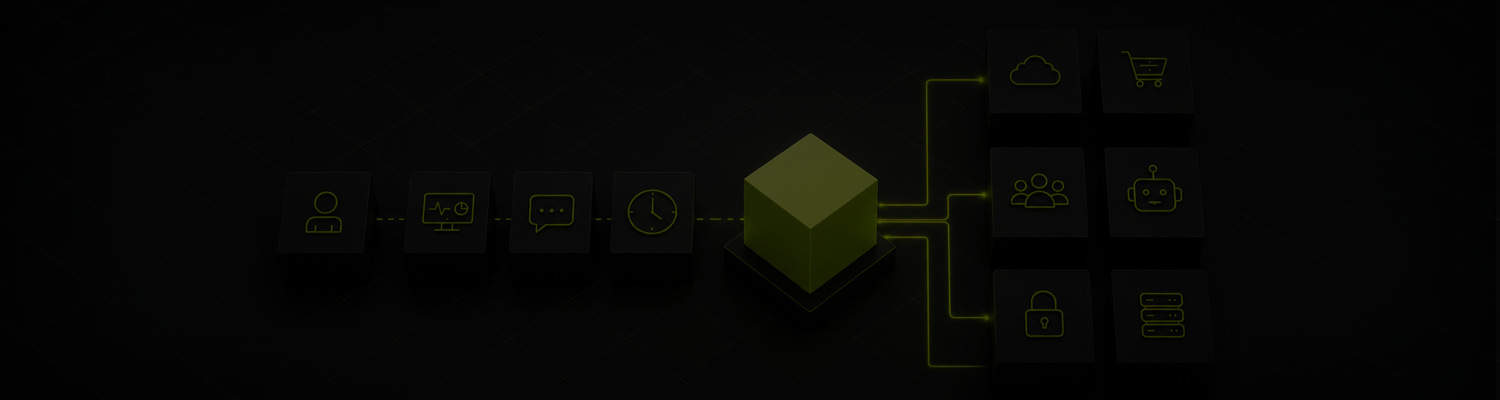
In the integration mesh pattern, the ServiceNow CMDB is one endpoint in a mesh that also includes the cloud platforms, the monitoring stack, the asset tools, the security platform, and any other system that informs or consumes CI data. Every change in any source becomes a standardised event message inside the mesh. The mesh routes the message, transforms it, reconciles its identity to the right CI in each target, and delivers it to every endpoint that subscribes to it. In seconds.
Three architectural properties matter.
Event-driven flow. Changes propagate when they happen, not on a schedule. No nightly imports. No discovery sweeps as the only refresh. No reconciliation jobs at 2am.
Persistent queuing. When ServiceNow is under load, or a source system goes down, the queue holds messages until capacity returns. The queue drains in order. No data lost. No manual backfill scripts. The CMDB catches up automatically.
In-flight identity reconciliation. A single CI arriving from four sources with four different identifiers gets matched to the right ServiceNow record before delivery. Conflicts surface before they land, not in cleanup queues afterward.
The mesh does not replace Discovery, Service Graph, or IntegrationHub. It complements them. ServiceNow's native tooling does what it does best. The mesh handles the long tail of sources, the bidirectional flows, and the operational burden of running the integration layer.
How this changes what ServiceNow can do
When the CMDB is current in seconds, the systems on top of it stop carrying the latency tax.
Now Assist and AI agents act on current data. Every automated action reads a CMDB that reflects the environment as it is right now, not as it was overnight. Tickets resolve against systems that exist. Change requests reference CIs that are still in service. Incidents correlate against the real topology.
Discovery and Service Graph focus on what they do best. The mesh handles the sources without native connectors and the bidirectional flows where ServiceNow's tooling was not designed to lead. Discovery and Service Graph stay focused on the structured inbound work they were built for.
The CMDB stays clean. Identity reconciliation happens before data lands, not in cleanup queues afterward. Records reflect one CI per real-world asset, not three half-matched fragments.
Operations stay quiet. Your ServiceNow team works on ServiceNow value. The integration layer is operated continuously by somebody whose entire job is to keep it running, including across vendor API changes. That is the Integration Ops discipline applied to the CMDB layer specifically.
How integration approaches compare for ServiceNow CMDB
What changes when integration becomes a service
The difference between operating the integration layer yourself and consuming it as a service is what you are buying. Three things change at the same time.
Get predictability. One predictable cost covers implementation, maintenance, monitoring, resolution. As AI agents drive more activity through the integration layer, the cost stays flat instead of scaling with message volume. The work happens outside ServiceNow's capacity, so you are not consuming transaction quotas or platform resources for every external sync.
Get transparency. Transparent integration technology. No black-box logic. No code only a specialist can read. Visible flows. Auditable identity reconciliation. Answerable when a regulator asks where customer data flows.
Get outcomes. The integration is somebody else's to run, and somebody else's to be accountable for. Your ServiceNow team focuses on ServiceNow work. Your AI agent strategy stops being limited by the data layer underneath it.
"For the first time, I can actually see what my integrations are doing. No guesswork. No waiting for something to break before I find out."
IT leader, global managed services provider
Bottom line
ServiceNow CMDB integration was built for a world where humans worked the tickets and tolerated stale data. AI agents do not tolerate stale data. They execute on what the CMDB says, when it says it.
The architecture has to shift. Scheduled imports give way to event-driven flow. Point-to-point pipelines give way to an integration mesh. Overnight reconciliation gives way to in-flight identity matching. ServiceNow's native tooling stays in place for what it does best. The mesh handles the rest, continuously, with somebody operating it.
The organisations that get this right will run AI agents on a CMDB that reflects reality. The organisations that do not will run AI agents on yesterday's environment, and find out what that costs in production.
Time to change? Talk to us about what a managed integration layer looks like underneath your ServiceNow CMDB.