

Quick answer
The strongest Jitterbit alternatives are ONEiO for managed iPaaS, Boomi and MuleSoft for enterprise-scale self-service integration, Workato for business-led automation, SnapLogic for AI-assisted building, and Informatica for data management. The right one depends on whether you want to operate a platform or buy the integration outcome.
In this article, we explore nine Jitterbit alternatives that can meet your enterprise integration requirements.
Key Takeaways
- The most common reason teams leave Jitterbit is not capability. It is connection-based pricing, where every new customer, vendor or tool consumes a connection and add-ons stack on top of the base tier.
- Jitterbit's genuine strengths are EDI and B2B document exchange, API management, and private agents that reach on-premises systems. Alternatives should be judged against those, not against a generic feature list.
- Jitterbit changed CEO on 3 August 2026. Mark Logan replaced Bill Conner, who moved to the board. Worth noting mid-contract.
- The six alternatives split into two groups. Self-service iPaaS platforms you operate: Boomi, Informatica, MuleSoft, SnapLogic, Workato. And managed iPaaS, where the provider designs, runs and maintains the integrations under an SLA: ONEiO.
- Before comparing platforms, check which problem you have. If Jitterbit is not working because nobody has time to maintain the integrations, a different platform will reproduce that problem.
Quick comparison
What Jitterbit does well
Jitterbit Harmony is a broader platform than its reputation suggests. It covers application, data and B2B integration, API creation and management, low-code application development through App Builder, cloud data storage and message queueing on one platform.
Two capabilities stand out. EDI and B2B document exchange are first-class, with prebuilt templates for orders, invoices and shipping notices in formats such as X12 and EDIFACT. And private agents let Harmony reach on-premises and legacy systems that cloud-only platforms cannot touch.
If either of those is central to your operation, be careful about what you are giving up.
Why teams look for a Jitterbit alternative
Connection-based pricing that penalises growth. Jitterbit tiers by number of connections rather than data volume. That is easy to forecast when your integration count is stable and expensive when it is not, because every new customer, vendor or tool consumes a connection. API Management, EDI and additional private agents are priced as add-ons on top.
Annual contracts only. There is no monthly billing option, so commitments are made before usage patterns are known.
The operating load. This is the one that is rarely on the evaluation sheet. Harmony gives your team the tooling. Your team still designs each integration, monitors it, and repairs it when a partner changes an API without telling you. For teams already at capacity, more capability does not help.
What are some valid Jitterbit alternatives for service integrations?
Here are six Jitterbit alternatives to consider:
ONEiO
ONEiO is a managed iPaaS: a cloud integration service where ONEiO designs, runs, monitors and maintains the integrations end to end, with SLA-backed outcomes and 24/7 operations. Self-service iPaaS is a platform you buy and operate. Managed iPaaS delivers the same integration outcomes, with the provider operating them. The capability is the same. The difference is who operates it.
HQ:
Helsinki, Finland
ONEiO connects each system once to a shared integration layer instead of building point-to-point connections, so tools can be replaced and ecosystems can grow without integrations breaking. Delivery is standardised and priced as a subscription, either volume-based or fixed per integration, which keeps cost predictable. ONEiO has deep domain expertise in ITSM, managed service provider and B2B eBonding scenarios, where the same incident, request or change record has to stay consistent across organisations that do not share a service desk. Most integration vendors build it and hand it back. ONEiO takes operational ownership permanently, and customers decide how much control they keep. Choose ONEiO when you want integration outcomes without staffing an integration team. Choose a self-service iPaaS when you have mature in-house integration engineering and want maximum platform control. ONEiO designs, runs and maintains the integrations, 24/7 under SLA.
Overall rating



Customer support rating
Pros:
- Fully managed and SLA-backed. ONEiO runs the complete integration lifecycle, from design and deployment through 24/7 monitoring and maintenance, so reliable integrations do not require an in-house integration team.
- Built for complex, changing environments. Each system connects once to ONEiO instead of point-to-point builds, with deep domain expertise in ITSM, MSP and B2B eBonding scenarios.
- Predictable cost and fast delivery. Fixed subscription pricing, volume-based or per integration, with standardised delivery in weeks rather than months.
Cons:
- Not a self-service platform. If you have a mature integration team and want hands-on platform control, a self-service iPaaS gives you more of it.
- No full API management suite. ONEiO is not designed for API productisation such as gateways, developer portals or API monetisation.
- Cloud-only. On-premise systems can be integrated, but ONEiO itself cannot be deployed on-premise, which is a constraint for air-gapped or strict data-residency environments.
Boomi
Boomi is a long-standing iPaaS known for connecting hybrid and legacy environments. Since 2026 it markets itself as a data activation company, with integration, API management, B2B and EDI, workflow automation and master data management in one platform.
HQ:
Chesterbrook, Pennsylvania
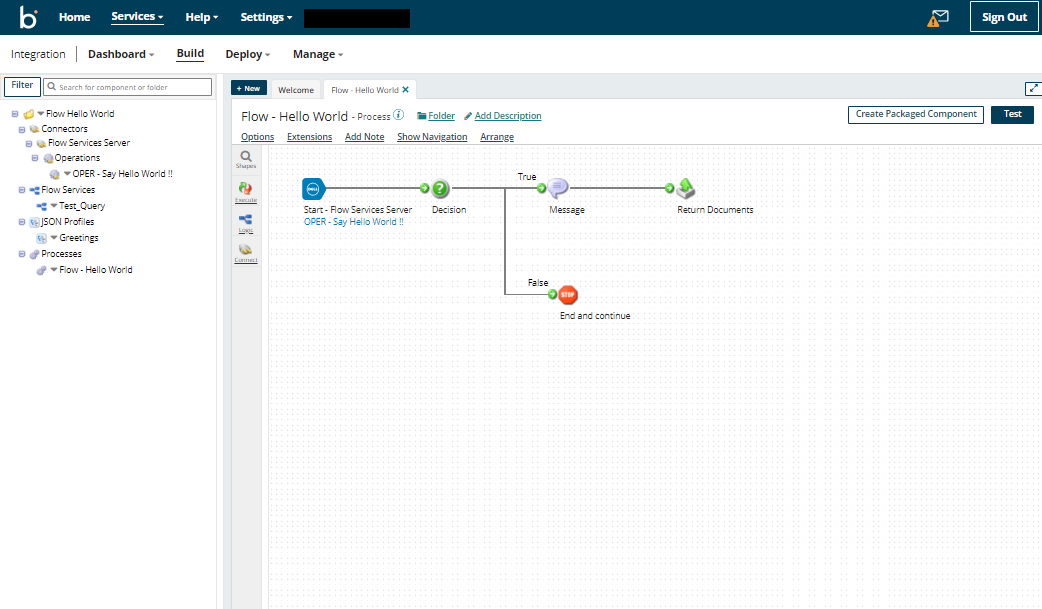
The Boomi AtomSphere platform uses low-code tooling and distributed runtimes called Atoms that run in the cloud or on-premise, which is what makes it a common choice for connecting SaaS applications to legacy systems. Its 2026 additions are Boomi Agentstudio, for designing, governing and monitoring AI agents at scale, and a managed MCP service that exposes existing integrations as tools agents can call. Boomi suits hybrid estates where the buyer has integration engineers available to run the platform. Your team designs, runs and maintains the integrations.
Overall rating
Customer support rating
Pros:
- Hybrid and on-premise runtimes, useful for ESB-style patterns.
- Quick to get started for standard connections.
- Agentstudio and a managed MCP service extend existing integrations to AI agents.
Cons:
- Connection-based pricing is complex to forecast.
- Monitoring and operational visibility need supplementing.
- Advanced configuration is widely reported as difficult.
Informatica
Informatica Intelligent Cloud Services is a data-management-centric iPaaS from a company that pioneered on-premise data infrastructure. Salesforce completed its acquisition of Informatica in November 2025.
HQ:
Redwood City, California
Informatica IDMC prioritises data-centric integration, with depth in governance, data quality, master data management and transformation. Salesforce completed an $8 billion acquisition of Informatica on 18 November 2025 and is positioning the platform as the data foundation of its agentic AI stack, where it now sits in the same portfolio as MuleSoft. Buyers should expect roadmap and packaging changes as the two are brought together. Informatica suits organisations that lead with a unified data management approach rather than application integration. Your team designs, runs and maintains the integrations.
Overall rating
Customer support rating
Pros:
- Depth in data governance, data quality and master data management.
- Broad industry coverage and a strong on-premise data integration heritage.
- Now backed by Salesforce, with a defined role in its agentic AI data strategy.
Cons:
- Consumption pricing based on compute is hard to forecast.
- The experience centres on data engineering rather than guided application integration.
- Roadmap uncertainty while the Salesforce and MuleSoft portfolios converge.
Mulesoft
MuleSoft Anypoint Platform is a self-service enterprise iPaaS built around an API-first approach to integration. MuleSoft is a Salesforce company, and the platform appeals to large IT organisations and system integrators, especially those already in the Salesforce ecosystem.
HQ:
San Francisco, California
Anypoint Platform combines API design, API management and integration in one self-service platform, with API-led connectivity as its organising principle. Salesforce has extended it into agentic AI through MuleSoft Agent Fabric, which registers, orchestrates and governs AI agents from any vendor, and has since added automated agent discovery and a control plane for multi-agent governance. MuleSoft suits organisations with in-house integration engineering that want an API-led strategy and are prepared to staff the platform. Your team designs, runs and maintains the integrations.
Overall rating
Customer support rating
Pros:
- API design, management and lifecycle governance in a single platform.
- Large template and connector library, with automation and RPA tooling.
- Agent Fabric adds a registry, observability and policy control for multi-vendor AI agents.
Cons:
- One of the highest costs of entry in the iPaaS market, with complex pricing.
- Strongest fit inside the Salesforce ecosystem.
- Users report steep learning curve, and dedicated MuleSoft skills are needed to run it.
SnapLogic
SnapLogic is a self-service low-code integration platform for building data and application pipelines through a visual interface. Since 2026 it positions itself as an agentic integration company.
HQ:
San Mateo, California
The SnapLogic Intelligent Integration Platform uses a drag-and-drop pipeline builder with a large library of pre-built connectors called Snaps, covering ETL-style data integration, real-time application integration and API creation with minimal coding. In July 2026 SnapLogic relaunched SnapGPT as an agentic assistant covering the whole integration lifecycle, from building and testing pipelines to documenting and troubleshooting them, alongside an AI Gateway and Trusted Agent Identity for governing what agents are allowed to reach. B2B and EDI capability remains modest. Your team designs, runs and maintains the pipelines.
Overall rating
Customer support rating
Pros:
- Visual pipeline builder that is quick to learn for common patterns.
- Transparent pricing and presence on the major cloud marketplaces.
- SnapGPT now spans the full integration lifecycle rather than pipeline generation alone.
Cons:
- Limited B2B and EDI capability.
- Coarse access permissions for larger teams.
- Debugging and advanced use carry a real learning curve.
Workato
Workato is a self-service iPaaS focused on process automation and on collaboration between IT and business teams through an AI-assisted interface.
HQ:
Mountain View, California
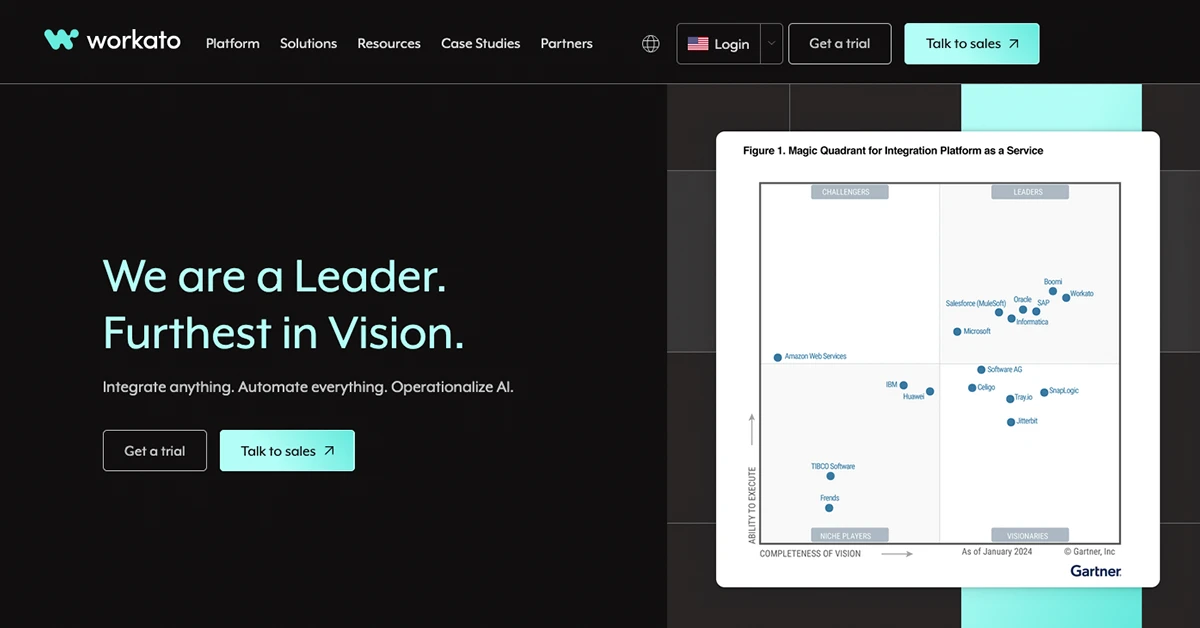
Workato runs a serverless integration platform with a large connector library and an emphasis on letting business teams build their own automations under IT governance. Its 2026 direction is agentic: Agent Studio lets teams build AI agents on top of existing recipes, and the July 2026 release added a Headless API for embedding those agents into any business application, plus Agent Guardrails for policy control over what the agents are permitted to do. Workato suits cloud-based business process automation where IT and business teams build together. Your team designs, runs and maintains the automations.
Overall rating
Customer support rating
Pros:
- Approachable interface with AI-assisted recipe building.
- Very large connector and template library.
- Agent Studio, Headless API and Agent Guardrails bring governed AI agents into business applications.
Cons:
- Task-based pricing escalates as more processes are added.
- No out-of-the-box EDI or B2B capability.
- Cloud-only, with no on-premise deployment option.
How to choose between Jitterbit alternatives
Four questions narrow the list faster than any comparison matrix.
Do you need to reach on-premises systems? If yes, Workato is out, because it is cloud-only. Boomi and MuleSoft both reach behind the firewall, and managed iPaaS reaches them via reverse proxy or allowlisting.
Is EDI central to your operation? If yes, Boomi is the closest self-service match to what Jitterbit gave you. If EDI was incidental, the field opens up considerably.
Who will operate the integrations? If the honest answer is nobody with spare capacity, the platform choice matters less than you think. Every self-service option in the table has the same requirement.
How fast is your integration count growing? If you are adding customers, vendors or tools regularly, check how each option prices growth. That is the specific thing that pushes teams off Jitterbit, and it is easy to walk straight into again
Common Jitterbit limitations shared by users
Here are some real customer quotes from Capterra where Jitterbit falls short:
What changed for Jitterbit in 2026
Through 2025 Jitterbit added AI assistants that help build, maintain and manage integrations, APIs and applications, the ability to build custom AI agents, a prebuilt agent marketplace, and a Model Context Protocol framework.
On 3 August 2026 the company appointed Mark Logan as President and CEO. Bill Conner, in the role for the previous 2.5 years, moved to the board. Jitterbit now operates in more than 60 countries.
None of this changes the pricing structure that brings most people to this page. It is worth knowing if you are mid-negotiation.
Why your best Jitterbit alternative might not be a tool
Most people arriving at this page are not looking for a better builder. They are looking for a way out of a situation where integrations keep needing attention and nobody has any left to give.
That situation does not come from Jitterbit. It comes from an operating model where the organisation buys tooling and absorbs the operational load that comes with it. Swapping Harmony for Boomi, or Workato, or MuleSoft, moves the licence line and leaves the load exactly where it was.
Managed iPaaS is the option that moves the load. ONEiO is a managed integration service that delivers iPaaS outcomes without the customer operating a platform: it designs, runs, monitors and maintains the integrations, with SLA-backed outcomes and 24/7 operations. Customers decide how much control they keep.
Choose a platform instead when you have in-house integration engineers, want maximum control over how integrations are built, or need a capability the service does not cover, such as low-code application development or your own AI agent estate.
Bottom line on Jitterbit alternatives
Jitterbit is a capable platform, and if EDI or on-premises connectivity are central to your estate, replacing it needs care.
The reason most teams look for an alternative is not a missing feature. It is the cost of growth under connection-based pricing, and the standing operational load that comes with any platform you run yourself.
If the first is your problem, compare pricing models carefully. If the second is, compare delivery models instead, because a different platform will reproduce it.