
Quick answer
Workato alternatives include Tray.ai as the closest like-for-like low-code builder, Boomi, Jitterbit and MuleSoft for estates needing on-premises reach, and Make, n8n or Zapier for lighter automation. ONEiO is the enterprise managed iPaaS option, taking complete ownership of integrations end to end rather than handing your team a builder.
If you've found this article, you’re either researching integration solutions, or you're a Workato customer looking for an easier integration service. In both cases you’ll find plenty of information and alternatives.
Key takeaways
- Two things push teams off Workato. Usage-based metering makes cost hard to forecast as adoption spreads, and the platform is cloud-only, so on-premises systems need a separate answer.
- Workato's genuine strength is letting business users build automations with IT governance around them, across more than 1,200 connectors as of March 2026.
- New in 2026: Workato One, then Agent Studio, then a Headless API and Agent Guardrails in July 2026 for embedding governed agents into any application surface.
- Alternatives split into two groups. Self-service iPaaS platforms you operate: Boomi, Jitterbit, MuleSoft, SnapLogic, with Informatica for data management. And managed iPaaS, where the provider operates the integrations for you: ONEiO.
- For cross-organisation service integration, none of the self-service platforms is designed around it. That is worth checking before switching between them.
Quick comparison
What is Workato?
Workato is a cloud-based integration and business process management platform that connects various business applications, databases, and services to automate workflows and data exchange.
At the broadest level, Workato can be viewed as an intelligent automation platform. It is known for having a large library of connectors and templates for citizen developers to use. In this regard, it competes with the likes of Zapier and IFTTT in the small-to-medium sized business process automation space.
How can Workato be compared to other integration solutions?
With over 11,000 customers Workato is a leading player in the integration as a platform (iPaaS) market. However, the broader focus on process automation means that it doesn’t always compare apples-to-apples with other integration solutions.
- Scope:
While many integration solutions focus primarily on connecting applications and systems, Workato offers a broader range of capabilities encompassing both integration and intelligent automation. This includes features like workflow automation and data transformation.
- Ease of use:
Workato's no-code interface and pre-built connectors make it accessible to business users or citizen developers compared to some integration solutions that require low-code or technical expertise.
- Flexibility:
Workato's advanced features, such as conditional logic and error handling, provide flexibility in designing complex workflows compared to more basic integration solutions. However, many of these complex cases are limited to point-to-point integrations.
- Scalability:
Workato can at the same time be more and less scalable than other integration solutions. With a broad range of ready-built templates it is quick to adopt, but ultimately it lacks the advanced customization and configuration capabilities of other integration solutions.
When you compare Workato to other integration solutions, it's important to consider your specific needs and priorities. For example, the complexity of workflows, the scale and maturity of business operations, and the level of technical expertise available. While Workato's broader capabilities and user-friendly approach may make it a strong choice for many organizations, some may prefer more specialized integration solutions or services based on their unique requirements.
Workato limitations mentioned by real customers
On peer review websites such as Capterra Workato gets better than average scores for integration solutions with an average score of 4.7 out of 5. However, the two areas where it scores below standard were Ease of Use (4.3 / 5) and Value for Money (4.4 / 5).
Here are a few real customer views of Workato limitations:
“This tool is quite costly and difficult for the users who are all not having programming background.” Keerthana K.
“I faced that least is Workato pricing structure is based on the number of transactions or actions you perform. If you have a high volume of transactions, it could potentially become costly.” Ravi C.
“If you aren't using a pre-built recipe the learning curve can be a bit steep. If you have a failure find the error can be a bit complicated.” - Greg C.
It is much harder to use without programming experience when we have to work with the API application. Maintenance of recipes is quite challenging. - Jothika K.
Don’t get me wrong. Overall, many Workato customers are happy with the service. If you look through other customer reviews of Workato, you’ll find that many positive reviews come from robotic process automation (RPA) consultants. This is a clear sign that Workato has a number of good use-cases in process automation.
What changed for Workato in 2026
Workato brought orchestration and AI together under Workato One, then launched Agent Studio for building AI agents on its integration layer. In July 2026 it added a Headless API, allowing agents to be embedded into any application surface, and Agent Guardrails, configurable controls for data protection, access management and compliance.
Its connector library passed 1,200 pre-built connectors in March 2026.
The agent work is credible and the governance controls answer a real concern. What it does not change is the two things that bring most people to this page: the platform remains cloud-only, and usage-based metering still makes cost hard to forecast. If anything, more automation built by more people makes the second harder.
Popular Workato alternatives for IT service integrations
ONEiO
ONEiO is a managed iPaaS: a Managed Integration Service that delivers the outcomes of an iPaaS, connected systems, monitored flows and SLA-backed uptime, without the customer operating the platform. ONEiO designs, runs, monitors and maintains the integrations end to end. Self-service iPaaS is a platform you buy and operate. Managed iPaaS delivers the same integration outcomes, with the provider operating them. The capability is the same. The difference is who operates it.
HQ:
Helsinki, Finland
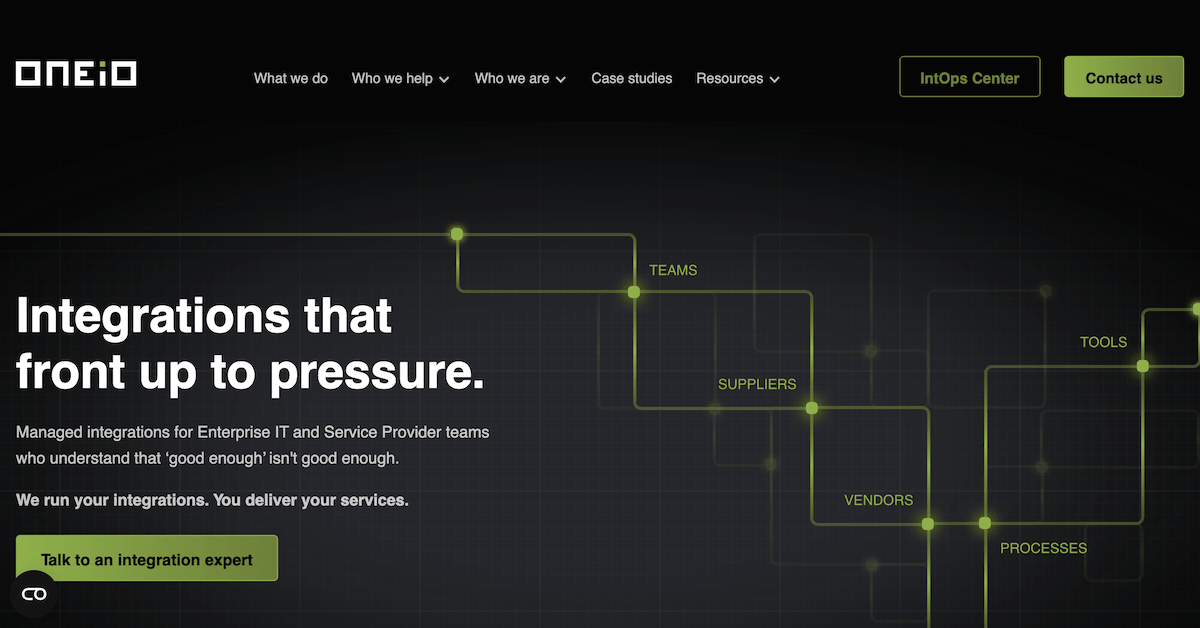
ONEiO connects each system once to a shared integration layer instead of building point-to-point connections, so tools can be replaced and ecosystems can grow without integrations breaking. Delivery is standardised and priced as a subscription, either volume-based or fixed per integration, which keeps cost predictable. ONEiO has deep domain expertise in ITSM, managed service provider and B2B eBonding scenarios, where the same incident, request or change record has to stay consistent across organisations that do not share a service desk. Most integration vendors build it and hand it back. ONEiO takes operational ownership permanently, and customers decide how much control they keep. Choose ONEiO when you want integration outcomes without staffing an integration team. Choose a self-service iPaaS when you have mature in-house integration engineering and want maximum platform control. ONEiO designs, runs and maintains the integrations, 24/7 under SLA.
Overall rating



Customer support rating
Pros:
- Fully managed and SLA-backed. ONEiO runs the complete integration lifecycle, from design and deployment through 24/7 monitoring and maintenance, so reliable integrations do not require an in-house integration team.
- Built for complex, changing environments. Each system connects once to ONEiO instead of point-to-point builds, with deep domain expertise in ITSM, MSP and B2B eBonding scenarios.
- Predictable cost and fast delivery. Fixed subscription pricing, volume-based or per integration, with standardised delivery in weeks rather than months.
Cons:
- Not a self-service platform. If you have a mature integration team and want hands-on platform control, a self-service iPaaS gives you more of it.
- No full API management suite. ONEiO is not designed for API productisation such as gateways, developer portals or API monetisation.
- Cloud-only. On-premise systems can be integrated, but ONEiO itself cannot be deployed on-premise, which is a constraint for air-gapped or strict data-residency environments.
SnapLogic
SnapLogic is a self-service low-code integration platform for building data and application pipelines through a visual interface. Since 2026 it positions itself as an agentic integration company.
HQ:
San Mateo, California
The SnapLogic Intelligent Integration Platform uses a drag-and-drop pipeline builder with a large library of pre-built connectors called Snaps, covering ETL-style data integration, real-time application integration and API creation with minimal coding. In July 2026 SnapLogic relaunched SnapGPT as an agentic assistant covering the whole integration lifecycle, from building and testing pipelines to documenting and troubleshooting them, alongside an AI Gateway and Trusted Agent Identity for governing what agents are allowed to reach. B2B and EDI capability remains modest. Your team designs, runs and maintains the pipelines.
Overall rating
Customer support rating
Pros:
- Visual pipeline builder that is quick to learn for common patterns.
- Transparent pricing and presence on the major cloud marketplaces.
- SnapGPT now spans the full integration lifecycle rather than pipeline generation alone.
Cons:
- Limited B2B and EDI capability.
- Coarse access permissions for larger teams.
- Debugging and advanced use carry a real learning curve.
Jitterbit
Jitterbit Harmony is a self-service iPaaS that started with small and midsize businesses and has moved upmarket, competing on flexibility and price.
HQ:
Alameda, California
Jitterbit Harmony covers application integration, API management and EDI in one platform, with a predictive pricing model and a focus on making integration accessible to non-specialist developers. The company has been building out AI assistants and an agent marketplace, and appointed Mark Logan as President and Chief Executive Officer in August 2026, with former chief executive Bill Conner moving to the board. Its systems integrator ecosystem is smaller than those of the larger platform vendors. Jitterbit suits general iPaaS needs and EDI modernisation. Your team designs, runs and maintains the integrations.
Overall rating
Customer support rating
Pros:
- Strong EDI capability with a substantial template set.
- Straightforward interface that is quick to get started with.
- Customisable template marketplace, useful for OEM and partner delivery.
Cons:
- Smaller prebuilt connector and template library than the market leaders.
- Endpoint-based pricing is hard to model.
- Smaller partner and systems integrator ecosystem.
Mulesoft
MuleSoft Anypoint Platform is a self-service enterprise iPaaS built around an API-first approach to integration. MuleSoft is a Salesforce company, and the platform appeals to large IT organisations and system integrators, especially those already in the Salesforce ecosystem.
HQ:
San Francisco, California
Anypoint Platform combines API design, API management and integration in one self-service platform, with API-led connectivity as its organising principle. Salesforce has extended it into agentic AI through MuleSoft Agent Fabric, which registers, orchestrates and governs AI agents from any vendor, and has since added automated agent discovery and a control plane for multi-agent governance. MuleSoft suits organisations with in-house integration engineering that want an API-led strategy and are prepared to staff the platform. Your team designs, runs and maintains the integrations.
Overall rating
Customer support rating
Pros:
- API design, management and lifecycle governance in a single platform.
- Large template and connector library, with automation and RPA tooling.
- Agent Fabric adds a registry, observability and policy control for multi-vendor AI agents.
Cons:
- One of the highest costs of entry in the iPaaS market, with complex pricing.
- Strongest fit inside the Salesforce ecosystem.
- Users report steep learning curve, and dedicated MuleSoft skills are needed to run it.
Informatica
Informatica Intelligent Cloud Services is a data-management-centric iPaaS from a company that pioneered on-premise data infrastructure. Salesforce completed its acquisition of Informatica in November 2025.
HQ:
Redwood City, California
Informatica IDMC prioritises data-centric integration, with depth in governance, data quality, master data management and transformation. Salesforce completed an $8 billion acquisition of Informatica on 18 November 2025 and is positioning the platform as the data foundation of its agentic AI stack, where it now sits in the same portfolio as MuleSoft. Buyers should expect roadmap and packaging changes as the two are brought together. Informatica suits organisations that lead with a unified data management approach rather than application integration. Your team designs, runs and maintains the integrations.
Overall rating
Customer support rating
Pros:
- Depth in data governance, data quality and master data management.
- Broad industry coverage and a strong on-premise data integration heritage.
- Now backed by Salesforce, with a defined role in its agentic AI data strategy.
Cons:
- Consumption pricing based on compute is hard to forecast.
- The experience centres on data engineering rather than guided application integration.
- Roadmap uncertainty while the Salesforce and MuleSoft portfolios converge.
SAP
SAP offers iPaaS functionality as part of its SAP Business Technology Platform, emphasizing integration within the SAP ecosystem.
HQ:
Walldorf, Germany
The SAP Integration Suite, part of the SAP Business Technology Platform, offers comprehensive integration capabilities. It focuses on SAP-centric ecosystems, aiming to unify business data and processes with a strong emphasis on AI. The suite's flexibility and extensive template library make it a robust option for businesses heavily invested in SAP products, offering a path towards digital transformation with a focus on modern application architecture.
Overall rating
Customer support rating
Pros:
- Thousands of templates, primarily for SAP applications.
- Global operational and support presence through SAP
- Transparent pricing.
Cons:
- Perceived primarily as an SAP-centric tool.
- Business model leans heavily towards SAP applications.
- Pricing not tailored to all market segments.
Webmethods
webMethods is an enterprise integration platform now owned by IBM, which acquired it from Software AG in 2024. It supports a wide range of integration styles, from B2B and EDI to API-led and citizen integration.
HQ:
Darmstadt, Germany
IBM completed its acquisition of webMethods and StreamSets from Software AG on 1 July 2024, in a deal worth about $2.3 billion, and now sells webMethods alongside IBM App Connect and API Connect within its automation and integration portfolio. The platform keeps its strength in B2B, EDI and legacy modernisation, with hybrid deployment options. Buyers should confirm roadmap and packaging directly with IBM, because the two integration lines overlap. Your team designs, runs and maintains the integrations.
Overall rating
Customer support rating
Pros:
- Broad functional coverage across many integration styles.
- Large connector library and mature B2B and EDI capability.
- Extensive testing and debugging tooling.
Cons:
- Portfolio overlap with IBM App Connect creates roadmap uncertainty.
- Heavier to configure than cloud-native platforms.
- Fewer hosting options than the newer cloud vendors.
Why your best Workato alternative might not be a tool
Workato's model assumes that more people building automations is a good thing, and inside a cloud-only estate with governance in place, it usually is.
The cost shows up later. Recipes accumulate, built by people across the business who have since moved teams. Each one still runs, still breaks when an application on either end changes, and still needs somebody who understands it. Usage-based pricing means the bill grows with the estate, and so does the maintenance load.
Moving to another self-service platform changes the pricing model and keeps the maintenance. Managed iPaaS changes both. ONEiO is a managed integration service that delivers iPaaS outcomes without the customer operating a platform: designing, running, monitoring and maintaining the integrations, with SLA-backed outcomes and 24/7 operations.
Stay with Workato when your estate is entirely cloud-based, you want business users self-serving, and the automation problem is genuinely business-process rather than system integration.
Bottom line on Workato alternatives
While Workato is a powerful and versatile integration and automation platform, it may not be the perfect fit for every organization. One area where it especially falls short is complex enterprise service integration.
Workato’s usage-based pricing model can become higher than expected for larger enterprises or rapidly growing companies, making more predictable options appealing.